Streaming AI Responses to the Browser with Server-Sent Events
~ 9 min read
When you build an AI chat UI, the difference between waiting five seconds for one big response and seeing text appear within a few hundred milliseconds is enormous.
That is where Server-Sent Events (SSE) fit well. They are simple, browser-native, and well suited to the most common AI UX pattern: the server generates text incrementally and the browser renders it as it arrives.
The practical pattern is simple:
- the browser opens an SSE connection to your server
- your server calls the AI provider
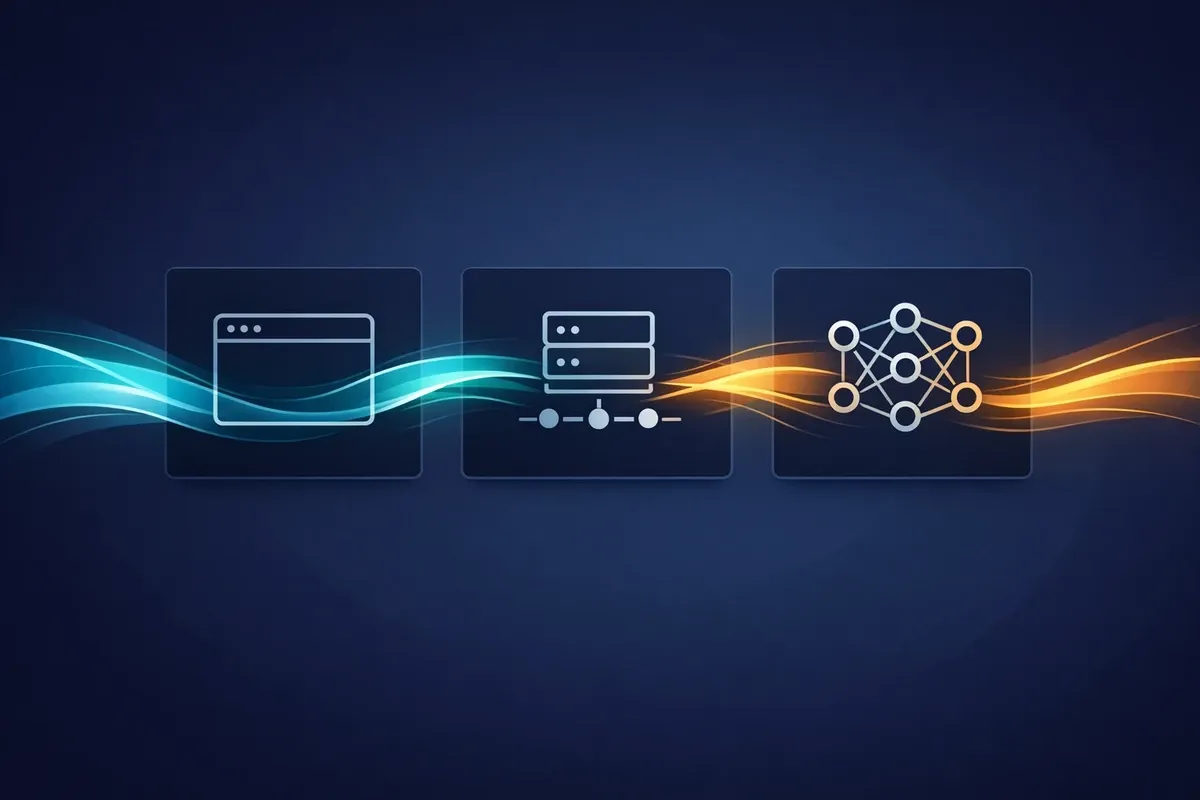
- your server forwards text chunks to the browser as events
- the browser appends those chunks into the visible answer
Why SSE is a good fit for AI streaming
For many AI interfaces, the data flow is mostly one way:
- the browser sends a prompt
- the server starts an AI request
- the server streams tokens or text deltas back down to the browser
You do not necessarily need a full-duplex channel such as WebSockets for that.
SSE works nicely here because:
- it runs over normal HTTP
- browsers already support it through
EventSource - reconnection behaviour is built in
- the wire format is simple text
- it is easier to reason about and debug than a custom socket protocol
If your UI mainly needs server -> browser streaming, SSE is often the cleanest option.
Why stream through your server instead of calling the model from the browser?
Even if the browser is the final consumer of the text, the model call usually belongs on the server.
That gives you a better architecture for several reasons:
- your API keys stay private
- you can authenticate the user before opening the stream
- you can log prompts and responses safely
- you can apply rate limits, moderation, and usage quotas
- you can switch model providers later without changing the browser code
The server becomes the stable boundary. The browser only knows how to consume your stream.
The basic flow
At a high level the request path looks like this:
- The user submits a prompt in the browser.
- The browser opens an SSE connection to your server.
- Your server starts an AI request using the prompt.
- As the model produces chunks, your server writes SSE events to the response.
- The browser receives each event and appends the text to the current answer.
- When generation finishes, the server sends a final
doneevent and closes the stream.
What an SSE response actually looks like
An SSE stream is just text in a specific format. Each event is separated by a blank line.
event: token
data: {"text":"Hello"}

event: token
data: {"text":" world"}

event: done
data: {"finishReason":"stop"}
The browser reads those events incrementally as they arrive.
Using Laravel AI as the server proxy
Laravel now has a first-party AI package, laravel/ai, which makes this pattern much cleaner.
The useful part for this article is that Laravel AI can already stream an agent response. You can either:
- return that stream directly from a route and let the package emit SSE for you, or
- iterate the streamed events yourself and re-shape them into a very small browser contract
For a browser client, I prefer the second option. It keeps the front end simple and lets you control exactly what gets sent over the wire.
Install Laravel AI
composer require laravel/ai
php artisan vendor:publish --provider="Laravel\\Ai\\AiServiceProvider"
After that, configure your provider credentials in config/ai.php and your environment.
Create a little agent
Add an agent class such as app/Ai/Agents/BrowserChat.php:
<?php

namespace App\Ai\Agents;

use Laravel\Ai\Contracts\Agent;
use Laravel\Ai\Promptable;

class BrowserChat implements Agent
{
    use Promptable;

    public function instructions(): string
    {
        return 'You are a concise assistant. Respond in plain text with no Markdown.';
    }
}
That gives you a reusable server-side boundary for the model call.
Stream the response as SSE from Laravel
Now expose an endpoint that:
- accepts the prompt
- asks the Laravel AI agent to stream a response
- forwards only text deltas to the browser as SSE
tokenevents
Here is a minimal routes/web.php example:
<?php

use App\Ai\Agents\BrowserChat;
use Illuminate\Http\Request;
use Illuminate\Support\Facades\Route;
use Laravel\Ai\Responses\StreamedAgentResponse;
use Laravel\Ai\Streaming\Events\TextDelta;

Route::get('/chat/stream', function (Request $request) {
    $prompt = trim((string) $request->query('prompt', ''));

    abort_if($prompt === '', 400, 'Missing prompt.');

    $stream = (new BrowserChat)
        ->stream($prompt)
        ->then(function (StreamedAgentResponse $response) use ($prompt) {
            // Persist $prompt, $response->text, or $response->usage here if needed.
        });

    return response()->stream(function () use ($stream) {
        echo "event: start\n";
        echo "data: {\"started\":true}\n\n";

        if (ob_get_level() > 0) {
            ob_flush();
        }

        flush();

        foreach ($stream as $event) {
            if (! $event instanceof TextDelta) {
                continue;
            }

            echo "event: token\n";
            echo 'data: '.json_encode([
                'text' => $event->delta,
            ])."\n\n";

            if (ob_get_level() > 0) {
                ob_flush();
            }

            flush();
        }

        echo "event: done\n";
        echo "data: {\"finished\":true}\n\n";

        if (ob_get_level() > 0) {
            ob_flush();
        }

        flush();
    }, 200, [
        'Content-Type' => 'text/event-stream; charset=utf-8',
        'Cache-Control' => 'no-cache, no-transform',
        'Connection' => 'keep-alive',
        'X-Accel-Buffering' => 'no',
    ]);
});
There are two important things happening here:
- Laravel AI handles the upstream model stream.
- Your Laravel route translates that into a tiny SSE protocol the browser can consume easily.
That is the proxy pattern in its simplest useful form.
Laravel AI can also emit SSE directly
If you do not need a custom event format, Laravel AI can be returned directly from the route:
Route::get('/chat/stream', function () {
    return (new BrowserChat)->stream('Explain Server-Sent Events in one paragraph.');
});
That response is already streamed as text/event-stream.
For an application front end, I still prefer the explicit proxy shape because:
- the browser gets only the fields it needs
- you can rename events to match your UI
- you can filter out non-text events
- you keep room for auth, persistence, rate limiting, and observability
The browser client
On the browser side, EventSource keeps things straightforward.
This example submits a prompt, listens for token events, and appends each chunk into the same output element.
<form id="chat-form">
    <input id="prompt" name="prompt" placeholder="Ask something" />
    <button type="submit">Send</button>
</form>

<pre id="output"></pre>

<script>
    const form = document.getElementById("chat-form");
    const promptInput = document.getElementById("prompt");
    const output = document.getElementById("output");

    let currentSource;

    form.addEventListener("submit", (event) => {
        event.preventDefault();

        const prompt = promptInput.value.trim();
        if (!prompt) return;

        if (currentSource) {
            currentSource.close();
        }

        output.textContent = "";

        const url = `/chat/stream?prompt=${encodeURIComponent(prompt)}`;
        currentSource = new EventSource(url);

        currentSource.addEventListener("token", (event) => {
            const payload = JSON.parse(event.data);
            output.textContent += payload.text;
        });

        currentSource.addEventListener("done", () => {
            currentSource.close();
        });

        currentSource.addEventListener("error", (event) => {
            console.error("Stream failed", event);
            currentSource.close();
        });
    });
</script>
That is enough to create the familiar “AI is typing” effect.
What Laravel AI is doing underneath
Laravel AI itself already exposes a streamed response API.
When you call ->stream(...), the package yields structured stream events. One of those event types is TextDelta,
which is exactly what the route above forwards to the browser.
If you returned the package stream directly instead of wrapping it, the browser would receive SSE messages containing JSON payloads with event types such as:
data: {"type":"text_delta","delta":"Hello"}

data: {"type":"stream_end","reason":"stop"}

data: [DONE]
That default format is useful, but the custom proxy route gives you a thinner client contract.
A better production shape
The example above passes the prompt in the query string because it keeps the demo small. In production, that is usually not the shape you want.
The main limitation is that EventSource uses GET. You cannot just send a large JSON body with it.
A more reliable pattern is:
POST /api/chatwith the prompt and conversation metadata- the server creates a message or run id
- the browser opens
GET /api/chat/:id/stream - the SSE endpoint streams the response for that id
That gives you:
- cleaner URLs
- better auditability
- easier retries
- a stable place to store conversation state
The event contract I would keep
Even when the upstream AI library is capable of sending richer event objects, the browser often needs only a few things:
starttokendoneerror
That is enough for most chat interfaces.
If you later want more detail, you can add:
usagetool_calltool_resultreasoning
The key point is that your browser contract should belong to your application, not to whichever model SDK happens to sit behind it today.
Things that matter in production
A demo will often work immediately. Production streaming is where details start to matter.
1. Disable buffering
Some proxies and hosting layers try to buffer the response before sending it onwards. That breaks the whole point of streaming.
The two big hints are:
- set
Content-Type: text/event-stream - disable proxy buffering where your infrastructure supports it
That is why the example includes:
X-Accel-Buffering: noDepending on your platform, you may need an additional proxy or CDN configuration too.
2. Send heartbeats
Long-lived HTTP connections are sometimes closed if they appear idle.
Periodic comment lines keep the connection alive without affecting the client:
: ping
3. Stop generation if the browser disconnects
If the user closes the tab or navigates away, do not keep paying for tokens no one will read.
If your stack supports it, detect the disconnect and stop the upstream generation early.
4. Accumulate the final answer somewhere sensible
Streaming is a delivery mechanism, not a storage model.
If you want chat history, analytics, retries, or later summarisation, persist the final assembled answer on the server
once generation completes. Laravel AI’s then(...) callback is a good place to do that.
5. Keep the event payloads small
Send the minimum data the browser needs for the next render step.
For a token event, that is often just:
{ "text": "next chunk" }Avoid repeatedly sending the full answer on every chunk unless the volume is tiny.
When SSE is the wrong tool
SSE is excellent for one-way streaming, but it is not the answer to every real-time problem.
Consider WebSockets instead if:
- the browser also needs to send frequent real-time messages over the same connection
- you need binary frames
- you are building collaborative multi-user interaction with low-latency duplex traffic
For a straightforward “stream the model output into the page” workflow, SSE is usually enough.
Verification
You can verify the behaviour with a simple test:
- start the server
- open the page in the browser
- submit a prompt
- confirm the answer appears chunk by chunk rather than all at once
- inspect the network tab and confirm the response has
text/event-stream
If the text only appears at the end, a proxy or framework layer is probably buffering the response.
Summary
If your goal is to stream an AI answer from the server to a browser client, SSE is often the best first option.
It is lighter than WebSockets, built into browsers, easy to debug, and well aligned with the typical AI interaction pattern of one upstream request and one downstream stream of text.
Keep the model call on the server, define a small event contract, disable buffering, and close the upstream request when the client disconnects. That gets you a clean and production-friendly streaming path without much machinery.