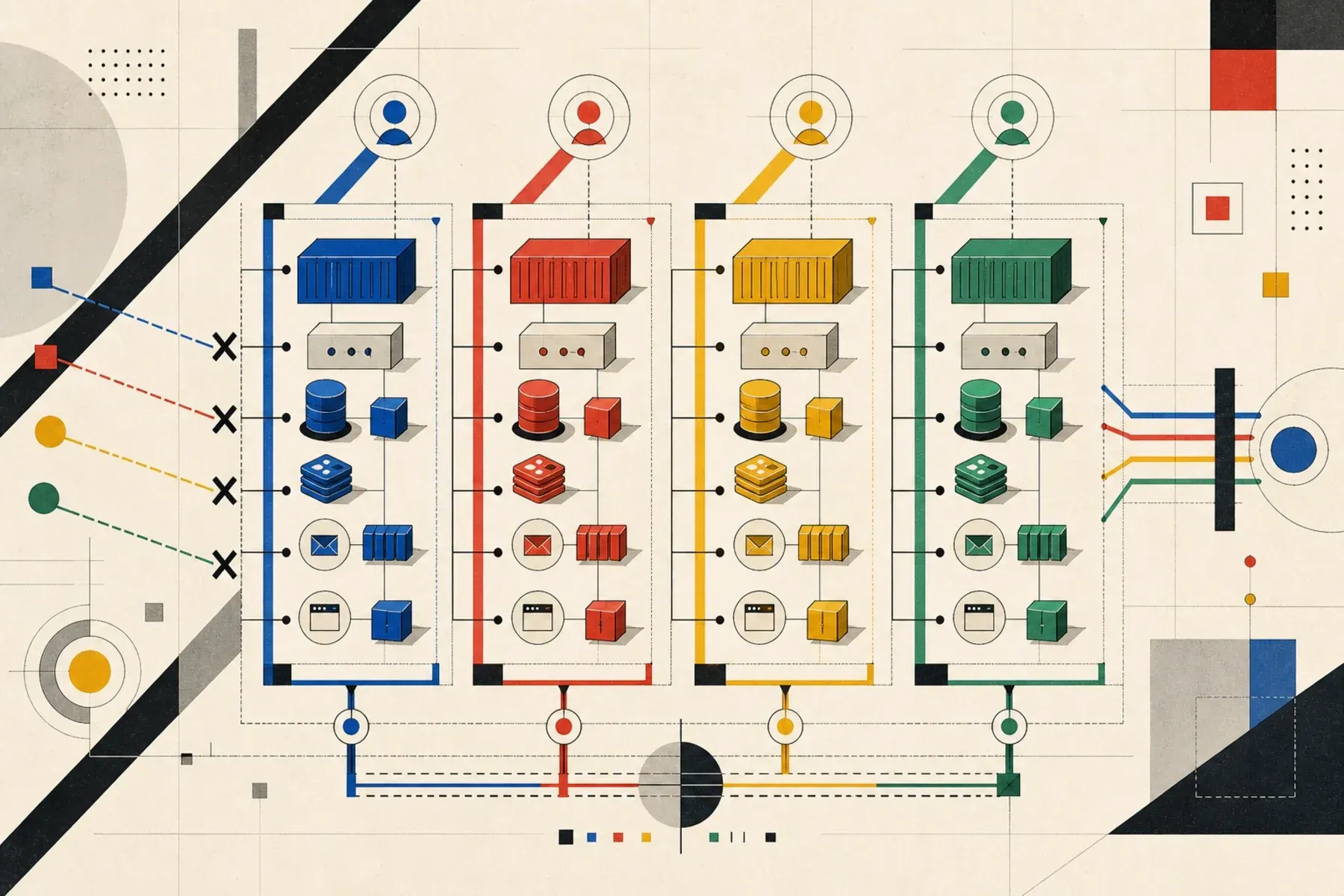
AI coding agents are much more useful when they can run the application, reproduce a bug, write a fix, and verify it without waiting for a human to babysit the environment.
That gets awkward as soon as the app needs more than one simultaneous process.
A Laravel app is a good example. It is not just PHP serving HTTP. A realistic local stack might include Laravel Sail, MySQL, a separate test database, Redis, a queue worker, Mailpit, Vite, Playwright, scheduled jobs, and local fakes for email, payments, AI, or CRM integrations.
One agent can usually run that stack. Several agents running it at the same time is where the default Docker Compose setup starts to creak.
The problem: agents collide with each other
Parallel AI development usually means parallel worktrees or checkouts on your laptop:
~/work/app-agent-a/
~/work/app-agent-b/
~/work/app-agent-c/
Each agent thinks it owns the repository. Each one tries to run the same commands:
./vendor/bin/sail up -d
./vendor/bin/sail artisan migrate --seed
./vendor/bin/sail npm run dev
./vendor/bin/sail artisan test
If the Compose file was written for one human developer on one laptop, the agents will conflict in predictable places.
The most common failures are:
- fixed container names such as
myapp-mysql - fixed host ports such as
8080:80,3306:3306, or5173:5173 - shared named volumes that make one agent see another agent’s database
- shared Redis keys, mailboxes, queues, object storage, or cache state
- non-deterministic seeders that leave the app in a different shape each run
- test accounts created manually through the UI instead of by factories
- agents running destructive commands against the wrong stack
The result is noisy. One agent drops the database while another is testing. One agent binds the web port first and the others fail. One queue worker processes jobs created by another checkout. The app appears broken, but the bug is really environment contention.
For AI agents, that matters because they will often treat environment failure as product failure. If the stack is ambiguous, the agent wastes time debugging Docker instead of the Laravel change it was asked to make.
The target shape
The goal is simple:
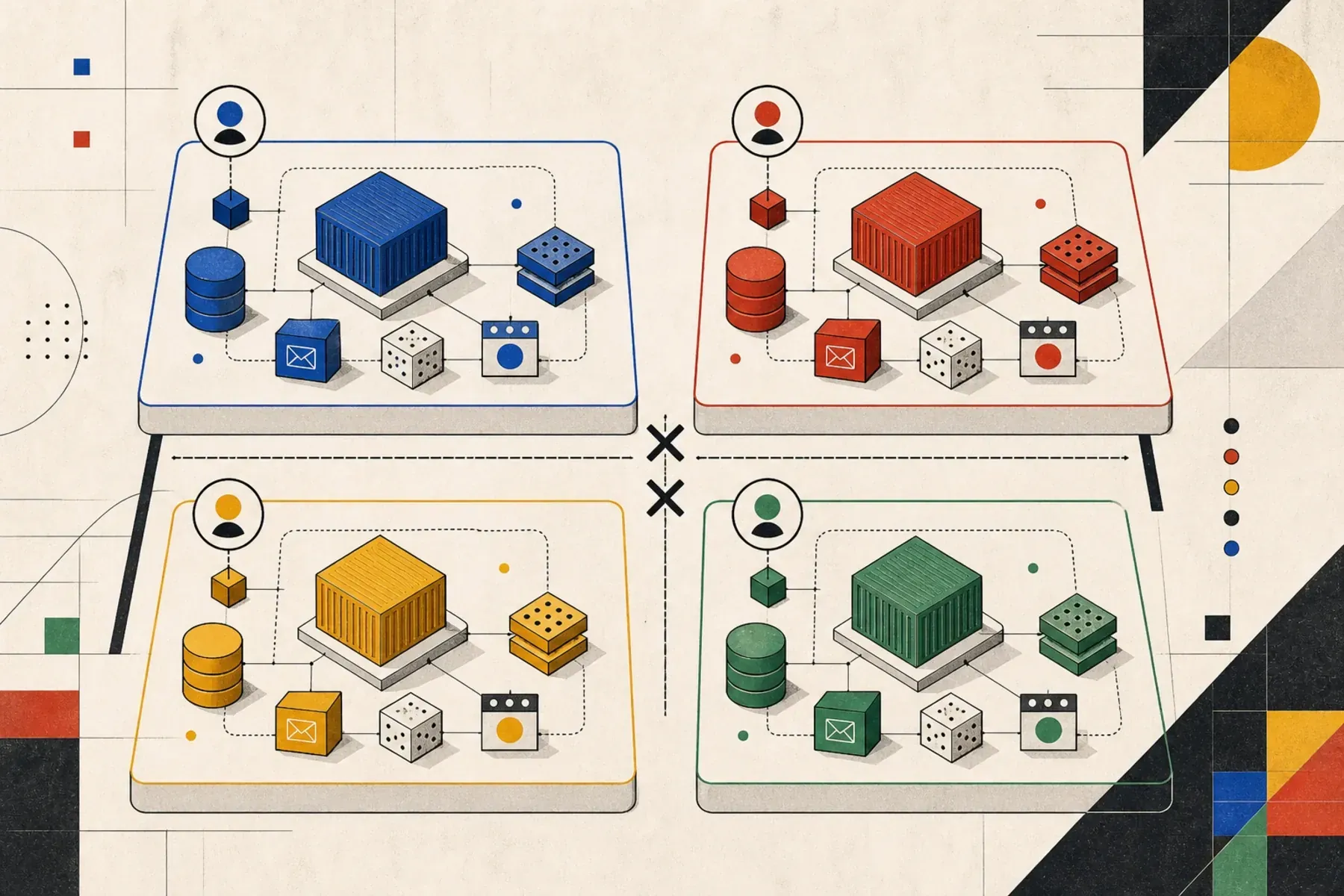
Any agent should be able to start a complete copy of the app, with isolated services and predictable data, from any checkout.
That means each running stack needs its own:
- Compose project name
- container namespace
- Docker network
- database volume
- Redis volume or memory space
- host ports, only where host ports are actually needed
- Laravel
.envvalues - seed data
- cleanup command
Docker Compose already gives you most of this. You just have to stop opting out of it.
Use Compose project names as the boundary
Docker Compose prefixes containers, networks, and volumes with the project name. If you run the same Compose file with different project names, you get different stacks.
docker compose -p app-agent-a up -d
docker compose -p app-agent-b up -d
That is the basic trick.
A Compose file can make that explicit, make the first line in the file declare the project name:
name: ${COMPOSE_PROJECT_NAME:-myapp}
services:
# Now start to define your services as normal
That lets a wrapper choose a project name per agent. The same file also avoids fixed container_name values, which is
the right default. Compose can then create separate containers, networks, and volumes for:
myapp-agent-login-fix-laravel.test-1
myapp-agent-login-fix-mysql-1
myapp-agent-login-fix-sailmysql
The rule is worth making explicit:
- avoid
container_name - avoid named volumes with a hard-coded global
name: - avoid external networks unless they are genuinely shared infrastructure
- keep host port bindings configurable
The moment you hard-code one of those names, every checkout starts fighting over the same Docker object.
Make ports configurable
Project names isolate Docker objects. They do not isolate host ports.
A Laravel Sail-style Compose file should expose host-facing ports as environment variables:
name: ${COMPOSE_PROJECT_NAME:-myapp}
services:
    laravel.test:
        ports:
            - "${APP_PORT:-80}:80"
            - "${VITE_PORT:-5173}:${VITE_PORT:-5173}"
            - "${PLAYWRIGHT_PORT:-3000}:3000"
            - "${PLAYWRIGHT_ALT_PORT:-3001}:3001"

    mysql:
        ports:
            - "${FORWARD_DB_PORT:-3306}:3306"

    redis:
        ports:
            - "${FORWARD_REDIS_PORT:-6379}:6379"

    mailpit:
        ports:
            - "${FORWARD_MAILPIT_PORT:-1025}:1025"
            - "${FORWARD_MAILPIT_DASHBOARD_PORT:-8025}:8025"
That is enough for one stack. For parallel agents, the missing piece is a repeatable way to assign those variables.
Give each agent a wrapper command
Do not make agents remember which flags and environment variables matter. Put the rules in a script.
One useful pattern is to create ignored env files from a known local template:
scripts/create-agent-env login-fixThat writes:
.env.agent.login-fix
.env.testing.agent.login-fix
The script derives a safe slug, calculates a port offset, and writes values such as:
COMPOSE_PROJECT_NAME=myapp-agent-login-fix
SAIL_ENV_FILE=.env.agent.login-fix

APP_PORT=18879
VITE_PORT=15972
PLAYWRIGHT_PORT=13799
PLAYWRIGHT_ALT_PORT=14799
FORWARD_DB_PORT=14105
FORWARD_REDIS_PORT=17178
FORWARD_MAILPIT_PORT=11824
FORWARD_MAILPIT_DASHBOARD_PORT=18824

DB_HOST=mysql
DB_PORT=3306
DB_DATABASE=web
DB_USERNAME=sail
DB_PASSWORD=password

TEST_DB_HOST=mysql.testing
TEST_DB_DATABASE=testing
TEST_DB_USERNAME=root
TEST_DB_PASSWORD=password
The exact numbers will differ by agent name. The useful part is that they are deterministic.
Here is a complete scripts/create-agent-env implementation:
#!/usr/bin/env bash

set -euo pipefail

agent_name="${1:-}"
port_offset="${2:-}"
app_name="${APP_COMPOSE_NAME:-myapp}"
base_env_file="${AGENT_BASE_ENV_FILE:-.env.testing}"

if [[ -z "$agent_name" ]]; then
    echo "Usage: scripts/create-agent-env <agent-name> [port-offset]" >&2
    exit 1
fi

if [[ ! -f "$base_env_file" ]]; then
    echo "Missing ${base_env_file}; create it before seeding an agent environment." >&2
    exit 1
fi

slug="$(
    printf "%s" "$agent_name" \
        | tr "[:upper:]" "[:lower:]" \
        | tr -cs "a-z0-9" "-" \
        | sed "s/^-//; s/-$//"
)"

if [[ -z "$slug" ]]; then
    echo "Agent name must contain at least one letter or number." >&2
    exit 1
fi

if [[ -z "$port_offset" ]]; then
    port_offset="$(printf "%s" "$slug" | cksum | awk "{ print \$1 % 1000 }")"
elif ! [[ "$port_offset" =~ ^[0-9]+$ ]]; then
    echo "Port offset must be numeric." >&2
    exit 1
fi

env_file=".env.agent.${slug}"
testing_env_file=".env.testing.agent.${slug}"

filter_env() {
    awk -F= '
        BEGIN {
            skip["APP_ENV"] = 1
            skip["APP_URL"] = 1
            skip["COMPOSE_PROJECT_NAME"] = 1
            skip["SAIL_ENV_FILE"] = 1

            skip["APP_PORT"] = 1
            skip["VITE_PORT"] = 1
            skip["PLAYWRIGHT_PORT"] = 1
            skip["PLAYWRIGHT_ALT_PORT"] = 1
            skip["FORWARD_DB_PORT"] = 1
            skip["FORWARD_REDIS_PORT"] = 1
            skip["FORWARD_MAILPIT_PORT"] = 1
            skip["FORWARD_MAILPIT_DASHBOARD_PORT"] = 1

            skip["DB_CONNECTION"] = 1
            skip["DB_HOST"] = 1
            skip["DB_PORT"] = 1
            skip["DB_DATABASE"] = 1
            skip["DB_USERNAME"] = 1
            skip["DB_PASSWORD"] = 1

            skip["TEST_DB_HOST"] = 1
            skip["TEST_DB_DATABASE"] = 1
            skip["TEST_DB_USERNAME"] = 1
            skip["TEST_DB_PASSWORD"] = 1

            skip["REDIS_HOST"] = 1
            skip["REDIS_PASSWORD"] = 1
            skip["REDIS_PORT"] = 1
            skip["MAIL_HOST"] = 1
            skip["MAIL_PORT"] = 1
            skip["WWWUSER"] = 1
            skip["WWWGROUP"] = 1
        }
        /^[[:space:]]*#/ || /^[[:space:]]*$/ { print; next }
        {
            key = $1
            sub(/^[[:space:]]*/, "", key)
            sub(/[[:space:]]*$/, "", key)
            if (!(key in skip)) {
                print
            }
        }
    ' "$base_env_file"
}

app_port=$((18080 + port_offset))
vite_port=$((15173 + port_offset))
playwright_port=$((13000 + port_offset))
playwright_alt_port=$((14000 + port_offset))
db_port=$((13306 + port_offset))
redis_port=$((16379 + port_offset))
mailpit_port=$((11025 + port_offset))
mailpit_dashboard_port=$((18025 + port_offset))
wwwuser="$(id -u)"
wwwgroup="$(id -g)"

{
    filter_env
    cat <<ENV

APP_ENV=local
APP_URL=http://localhost:${app_port}

COMPOSE_PROJECT_NAME=${app_name}-agent-${slug}
SAIL_ENV_FILE=${env_file}
WWWUSER=${wwwuser}
WWWGROUP=${wwwgroup}

APP_PORT=${app_port}
VITE_PORT=${vite_port}
PLAYWRIGHT_PORT=${playwright_port}
PLAYWRIGHT_ALT_PORT=${playwright_alt_port}
FORWARD_DB_PORT=${db_port}
FORWARD_REDIS_PORT=${redis_port}
FORWARD_MAILPIT_PORT=${mailpit_port}
FORWARD_MAILPIT_DASHBOARD_PORT=${mailpit_dashboard_port}

DB_CONNECTION=mysql
DB_HOST=mysql
DB_PORT=3306
DB_DATABASE=web
DB_USERNAME=sail
DB_PASSWORD=password

REDIS_HOST=redis
REDIS_PASSWORD=null
REDIS_PORT=6379
MAIL_HOST=mailpit
MAIL_PORT=1025

TEST_DB_HOST=mysql.testing
TEST_DB_DATABASE=testing
TEST_DB_USERNAME=root
TEST_DB_PASSWORD=password
ENV
} > "$env_file"

{
    filter_env
    cat <<ENV

APP_ENV=testing
APP_URL=http://localhost:${app_port}

DB_CONNECTION=mysql
DB_HOST=mysql.testing
DB_PORT=3306
DB_DATABASE=testing
DB_USERNAME=root
DB_PASSWORD=password

REDIS_HOST=redis
REDIS_PASSWORD=null
REDIS_PORT=6379
MAIL_HOST=mailpit
MAIL_PORT=1025
ENV
} > "$testing_env_file"

cat <<MSG
Created ${env_file}
Created ${testing_env_file}

Start this agent stack with:
  scripts/sail-agent ${slug} up -d

Run tests inside this agent stack with:
  scripts/sail-agent ${slug} test
MSG
Make it executable:
chmod +x scripts/create-agent-envThen add scripts/sail-agent, which runs commands against the chosen stack:
#!/usr/bin/env bash

set -euo pipefail

agent_name="${1:-}"

if [[ -z "$agent_name" ]]; then
    echo "Usage: scripts/sail-agent <agent-name|env-file> <command> [args...]" >&2
    echo "Commands: up, down, stop, restart, ps, logs, config, exec, artisan, composer, npm, php, node, npx, test, url, env" >&2
    exit 1
fi

shift

slugify() {
    printf "%s" "$1" \
        | tr "[:upper:]" "[:lower:]" \
        | tr -cs "a-z0-9" "-" \
        | sed "s/^-//; s/-$//"
}

if [[ "$agent_name" == .env.agent.* || "$agent_name" == */.env.agent.* ]]; then
    env_file="$agent_name"
    slug="${agent_name##*.env.agent.}"
else
    slug="$(slugify "$agent_name")"
    env_file=".env.agent.${slug}"
fi

if [[ -z "$slug" ]]; then
    echo "Agent name must contain at least one letter or number." >&2
    exit 1
fi

if [[ ! -f "$env_file" ]]; then
    echo "Missing ${env_file}; create it with: scripts/create-agent-env ${slug}" >&2
    exit 1
fi

command="${1:-ps}"

if [[ $# -gt 0 ]]; then
    shift
fi

read_env_value() {
    local key="$1"

    awk -F= -v key="$key" '
        $1 == key {
            value = substr($0, length(key) + 2)
            gsub(/^"|"$/, "", value)
            print value
            exit
        }
    ' "$env_file"
}

compose() {
    local compose_env=()
    local key
    local value
    local keys=(
        APP_PORT
        COMPOSE_PROJECT_NAME
        DB_DATABASE
        DB_PASSWORD
        DB_USERNAME
        FORWARD_DB_PORT
        FORWARD_MAILPIT_DASHBOARD_PORT
        FORWARD_MAILPIT_PORT
        FORWARD_REDIS_PORT
        PLAYWRIGHT_ALT_PORT
        PLAYWRIGHT_PORT
        SAIL_ENV_FILE
        TEST_DB_DATABASE
        TEST_DB_PASSWORD
        VITE_PORT
        WWWGROUP
        WWWUSER
    )

    for key in "${keys[@]}"; do
        value="$(read_env_value "$key")"

        if [[ -n "$value" ]]; then
            compose_env+=("${key}=${value}")
        fi
    done

    env "${compose_env[@]}" docker compose --env-file "$env_file" "$@"
}

run_tests() {
    local lock_dir="${TEST_LOCK_DIR:-.agent-test.lock}"

    while ! mkdir "$lock_dir" 2>/dev/null; do
        sleep 1
    done

    cleanup() {
        rmdir "$lock_dir" 2>/dev/null || true
    }

    trap cleanup EXIT INT TERM

    compose exec -T laravel.test php artisan test --compact "$@"
}

case "$command" in
    up | down | stop | restart | ps | logs | config | exec)
        compose "$command" "$@"
        ;;
    artisan | composer | npm | php | node | npx)
        compose exec -T laravel.test "$command" "$@"
        ;;
    test)
        run_tests "$@"
        ;;
    url)
        read_env_value APP_URL
        ;;
    env)
        printf "%s\n" "$env_file"
        ;;
    *)
        echo "Unknown command: ${command}" >&2
        echo "Commands: up, down, stop, restart, ps, logs, config, exec, artisan, composer, npm, php, node, npx, test, url, env" >&2
        exit 1
        ;;
esac
Make that executable too:
chmod +x scripts/sail-agentNow the normal usage is:
scripts/sail-agent login-fix up -d
scripts/sail-agent login-fix artisan migrate --seed
scripts/sail-agent login-fix npm run build
scripts/sail-agent login-fix url
This is better than asking the agent to use raw Sail commands because the wrapper always supplies the right env file and project variables.
Keep Laravel environment values agent-safe
The important detail in the generated env files is that container-to-container traffic stays inside the Compose network:
DB_CONNECTION=mysql
DB_HOST=mysql
DB_PORT=3306
DB_DATABASE=web
DB_USERNAME=sail
DB_PASSWORD=password

REDIS_HOST=redis
REDIS_PORT=6379

MAIL_HOST=mailpit
MAIL_PORT=1025
Do not put host ports into Laravel service-to-service configuration. Inside Compose, the database host is mysql, not
127.0.0.1. Redis is redis, not the host machine. Mailpit SMTP is mailpit:1025, not localhost:1025.
That keeps each stack internal to its own Docker network.
The same principle applies to integrations. A local agent stack should not be able to send real customer emails, charge real payment methods, sync a real marketing audience, or spend production AI credentials while debugging a feature.
Data factories are part of the environment
The Compose stack gets the processes running. It does not make the app usable.
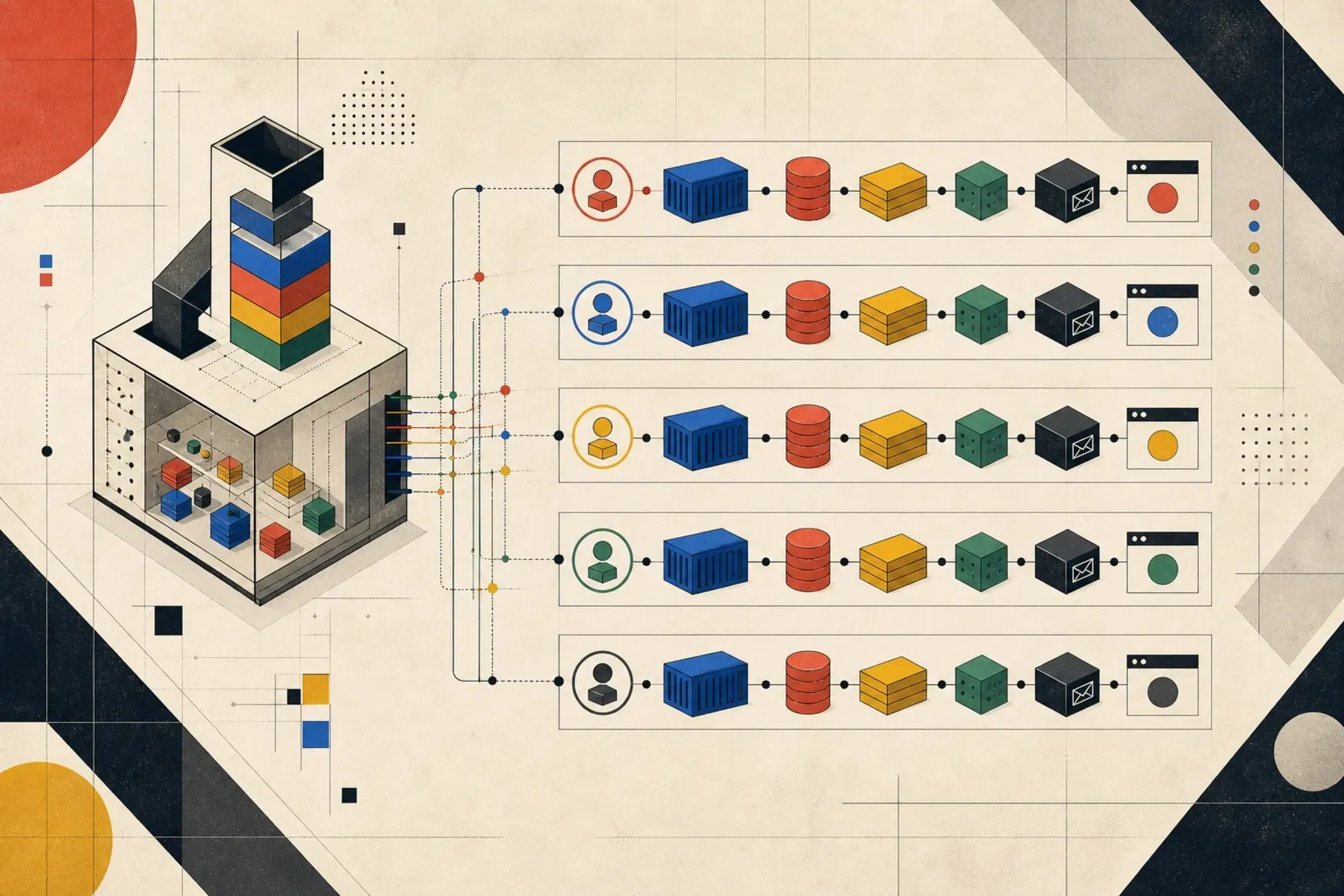
For AI agents, seed data is not a nice extra. It is infrastructure. The agent needs to reproduce user states without clicking around the app for ten minutes or borrowing stale data from another developer’s database.
For a typical product application, useful scenarios might include:
- an organisation or account with no content
- a draft record
- a published record with related activity
- a record with comments and hidden comments
- a paid feature or subscription state
- a failed payment
- users who accepted or rejected marketing consent
- a queued email waiting to be sent
- an admin user
Those should be created by Laravel factories and seeders, not by a shared SQL dump that slowly rots.
Most Laravel applications already have factories for the core objects: users, organisations, accounts, orders, content, comments, payments, subscriptions, and admin users. The missing layer is usually scenario seeders: small, named sets of data for the flows agents are likely to work on.
<?php

namespace Database\Seeders;

use App\Models\Account;
use App\Models\Comment;
use App\Models\Post;
use App\Models\User;
use Illuminate\Database\Seeder;

class AgentScenarioSeeder extends Seeder
{
    public function run(): void
    {
        $this->call([
            LocalReferenceDataSeeder::class,
        ]);

        $owner = User::factory()->create([
            "email" => "owner@example.test",
        ]);

        $account = Account::factory()->create([
            "name" => "Agent Test Organisation",
            "owner_user_id" => $owner->id,
        ]);

        $post = Post::factory()
            ->create([
                "title" => "Agent Verification Record",
                "slug" => "agent-verification-record",
                "account_id" => $account->id,
                "created_by_user_id" => $owner->id,
                "status" => "published",
                "published_at" => now()->subDay(),
            ]);

        Comment::factory()
            ->count(25)
            ->create([
                "post_id" => $post->id,
                "is_hidden" => false,
            ]);
    }
}
The model names are placeholders. Use the real models from your application, but keep the scenario stable enough that an agent can rely on it.
Then make the bootstrap command boring:
scripts/sail-agent login-fix artisan migrate:fresh --seed --seeder=AgentScenarioSeederIf the app has several important states, create named scenarios:
scripts/sail-agent login-fix artisan agent:seed default
scripts/sail-agent login-fix artisan agent:seed account-with-activity
scripts/sail-agent login-fix artisan agent:seed payment-edge-cases
That gives the agent a stable target. It can say “I verified this against payment-edge-cases” instead of “I clicked
around until it looked right”.
Make seeders deterministic
Factories are useful because they are fast and expressive. They can also create noise if every run generates unrelated names, dates, slugs, and emails.
For agent scenarios, prefer stable values where the UI or tests will reference them:
Post::factory()->create([
    "title" => "Agent Verification Record",
    "slug" => "agent-verification-record",
    "status" => "published",
    "published_at" => now()->subDay(),
]);
Use randomness for filler records, not for records the agent needs to find.
It is also worth adding test-friendly selectors or stable labels in the frontend. An agent can work with visible text, but deterministic text makes browser verification much less brittle.
Reset the whole stack cheaply
Agents should be allowed to destroy their own environment.
That is another reason project names matter. This command should delete only the current agent’s containers, network, and volumes:
scripts/sail-agent login-fix down -v --remove-orphansThen a clean reset is:
scripts/sail-agent login-fix down -v --remove-orphans
scripts/sail-agent login-fix up -d --build
scripts/sail-agent login-fix artisan migrate:fresh --seed --seeder=AgentScenarioSeeder
That is much safer than asking an agent to surgically repair a half-corrupt local database.
Put the workflow in AGENTS.md
The repository instructions should tell agents how to use the stack. Keep it specific enough that the agent does not fall back to generic Docker habits.
A good AGENTS.md section should tell agents to create an isolated environment instead of editing .env:
# Parallel agent environments

When running as an agent alongside another agent or the local developer, create an
isolated Compose env from the local test template instead of editing `.env`:
`scripts/create-agent-env <agent-name>`.

Start that stack with:

```bash
scripts/sail-agent <agent-name> up -d
```

Run commands inside that stack:

```bash
scripts/sail-agent <agent-name> artisan migrate --seed
scripts/sail-agent <agent-name> test
scripts/sail-agent <agent-name> npm run build
```
That is the right kind of instruction. It names the exact scripts, explains why they exist, and tells agents not to run raw commands that would collide with another stack.
If your tests mutate a shared test database inside the checkout, make the test wrapper serialize test runs with a
small lock directory. That avoids overlapping migrations against the same test database.

What to verify
For a Laravel multi-container app, a useful agent verification pass usually looks like this:
scripts/create-agent-env login-fix
scripts/sail-agent login-fix up -d
scripts/sail-agent login-fix ps
scripts/sail-agent login-fix artisan migrate:fresh --seed --seeder=AgentScenarioSeeder
scripts/sail-agent login-fix test
scripts/sail-agent login-fix artisan queue:work --once --tries=1
scripts/sail-agent login-fix logs --tail=100 laravel.test queue mysql redis mailpit
If the task affects the browser UI, add a browser check against that agent’s APP_PORT.
If the task affects email, check Mailpit for that agent’s MAILPIT_PORT.
If the task affects jobs, run at least one queue pass and inspect failed jobs:
scripts/sail-agent login-fix artisan queue:work --once --tries=1
scripts/sail-agent login-fix artisan queue:failed
The point is to verify the full path the feature depends on, not just the PHP unit that was easy to run.
What to tighten
Once the Compose isolation is working, the remaining improvements are usually small:
- add first-class scenario seeders for agent verification, not just broad development seeders
- keep deterministic records for UI flows, especially slugs, user emails, and fixture identifiers
- make external services fail closed locally unless a sandbox key is explicitly provided
- print the app, Vite, Mailpit, and Playwright URLs after
scripts/sail-agent <name> up -d - document which scenarios to use for common task classes, such as signup, payment, email, admin, and reporting
Those are small changes, but they reduce the amount of inference an agent has to do.
The same pattern works outside Laravel
This article uses a Laravel app as the example because Laravel applications often have queues, mail, caches, browser tests, and database-backed feature tests. The pattern is not Laravel-specific.
Any multi-container app has the same isolation problem:
- Rails with Sidekiq, PostgreSQL, Redis, and Mailcatcher
- Django with Celery, PostgreSQL, Redis, and local S3
- Node with a worker, PostgreSQL, Redis, and Playwright
- Go services with Kafka, PostgreSQL, and MinIO
The details change, but the rules stay the same:
- isolate each agent with a Compose project name
- avoid global Docker names
- bind host ports only when humans or browsers need them
- generate deterministic seed data through the app’s own factory layer
- make reset cheap
- document the exact commands agents should run
Once that is in place, parallel AI agents become much less dramatic. They can each have a disposable copy of the system, with their own database, queue, cache, mail inbox, and browser port.
That is the difference between “the agent can edit code” and “the agent can safely work on a real application”.